vip388 Brings Indonesia Casino Choices Together
vip388 puts Live Blackjack Table, Domino QQ Online Room, Aviator Quick Arena and football markets within one home lobby, with DANA, OVO, GoPay and…
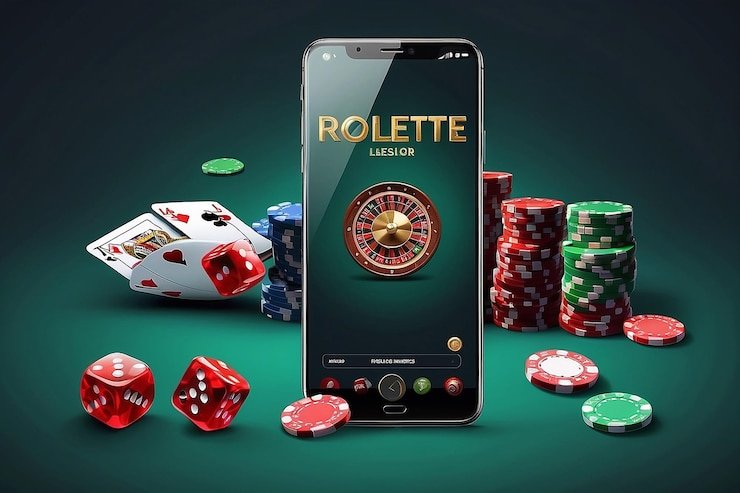
Casino And Slots From One Row
Casino and slots cards on our home page take you into the relevant lobby without making you search through unrelated menus, and each card keeps the game category…








Six Rooms Shape The vip388 Home

Six named rooms show what you can reach from the vip388 home page: Live Blackjack Table, Domino QQ Online Room, La Liga Match Bet, Aviator Quick Arena, Fortune Fishing Game and Fishing War Fast Round. We separate table, sports, crash-style and fishing choices so you can recognise the session type before opening a card. Live baccarat, roulette and Dragon Tiger
sit with the dealer-table category, while slots remain in their own searchable area. Football, badminton and basketball appear through the sportsbook path rather than being mixed into casino results. This structure gives your account one starting point without flattening every game into a single, difficult list.
Four Wallets And Three Sports

Three Steps From Home To Lobby
Three account steps keep the route from our home page easy to follow: open the account area, provide the requested account details and complete phone verification before access. We use that verified phone path to reduce confusion when you return and need to identify the correct account. Once access is ready, the same account connects the casino lobby, sportsbook and
local wallet area; you do not need a second profile for DANA or QRIS. Check that your phone number and payment details are accurate before submitting them, because mismatched details can slow a later status check. Eligibility for opening or using an account depends on local law.
Casino And Slots Fit Mobile Screens
One Browser Path Reaches Every Area
One mobile browser route takes you from the vip388 home page to account access, the lobby and the cashier without an app installation. On a smaller screen, category cards stack vertically and slot search stays near the slot area, while dealer tables open from their own card group. QRIS is particularly practical on mobile because the cashier presents the payment
request in the same account flow, reducing jumps between unrelated menus. If you leave during a session, return through the home page and verify that you are using the correct account path before continuing. Device access is available where local law permits.
Four Checks Behind Your Home Session
Four visible operating checks help you understand what happens between our home page and your account.
Phone verification
We request phone verification before account access so your return path is linked to the details you supplied. If the number is incorrect, use the account help route before starting a wallet transaction.
Wallet status
The cashier shows the selected DANA, OVO, GoPay or QRIS route with its current account status. Check the method and payment details there before sending or repeating a transaction.
Withdrawal checks
A withdrawal request is checked against your account and destination details before its status changes. Matching the name and payment details reduces avoidable questions during that verification step.
Local access
Casino and sportsbook availability depends on local law. We place access terms and account conditions within the home policy area so you can read them before opening an account.

Phone And Wallet Details Stay Connected
Phone and wallet checks protect the continuity of your home account path. We ask you to verify your phone before access, then keep transaction status inside the cashier area linked from the home navigation. For withdrawals, the account and destination details need to match the record attached to your profile; a mismatch can lead to an additional status check before
the request moves forward. Do not create another account simply because access stalls, as duplicate details can make identification harder. Instead, return to the account help entry and provide the transaction reference or receipt when payment is involved. Never share your password or verification code with another person.
Four Wallet Methods Beside Your Account
Four Indonesian wallet routes appear from the home cashier: DANA, OVO, GoPay and QRIS.
Casino And Slots Stay Easy To Browse
Casino and slots catalogue cards are injected from our current lobby, allowing the home page to show available choices without hard-coding a stale list into the page copy.
Local Access Starts With Home Policies

Local availability is stated from our home policy area so you can check the conditions connected to your location and account before entering a game. Access to casino rooms, slots and sportsbook markets depends on local law, and an available page should not be treated as confirmation that every activity is permitted in every location. We also place account terms
near the access path, covering phone verification, accurate personal details and payment ownership. Read those terms before opening your account, especially if you expect to use DANA, OVO, GoPay, QRIS, bank transfer or a virtual account. If a location or account condition is unclear, use the home help route first.
Three Home Paths For Account Help
Three help routes cover the issues most likely to interrupt your home session: account access, wallet status and payment receipt checks. Start from the help entry near the account or cashier path, select the issue that matches what you see and keep any relevant reference ready. Clear details help us distinguish a delayed payment confirmation from an account mismatch or an incorrect access attempt. Avoid submitting the same request repeatedly while a status check is active. For payment questions, retain the receipt, amount, method and transaction reference; for account access, use the verified phone details attached to your profile.
Account access help
Use this route when phone verification, account identification or return access stalls. Provide the verified phone details requested through the account path, but never send your password or verification code.
Wallet status help
Choose the wallet status route when DANA, OVO, GoPay or QRIS confirms a transaction but the cashier has not reflected it. Keep the amount, method and transaction reference ready.
Receipt checks
Use the receipt path for bank transfer, virtual account or local wallet questions. A readable receipt with the transaction reference helps us compare your payment confirmation with the cashier record.
Receipts And Phone Details Speed Checks
A transaction receipt and your verified phone details give us the clearest starting point when account or wallet status stalls. Return through the vip388 home page, open the help entry beside the relevant account or cashier area and choose the issue that matches your screen. For DANA, OVO, GoPay or QRIS, keep the method, amount and transaction reference together; for
bank transfer or virtual account activity, retain the bank confirmation as well. Describe one transaction per request so its status can be traced without mixing separate payments. We will never need your password or verification code to inspect a receipt, identify the account or explain the displayed status.
Seven Answers About The vip388 Home
These answers address what you may need before using the vip388 home page: which rooms are present, how account access begins, where local payment status appears, what happens on mobile and how to raise a help request. They also explain location wording and the details used for a withdrawal check. Read the matching answer before repeating an account or payment action, because a second attempt can make a simple status question harder to trace. If your screen shows different transaction details, rely on the account cashier display and use the nearby help entry with your receipt or reference.